

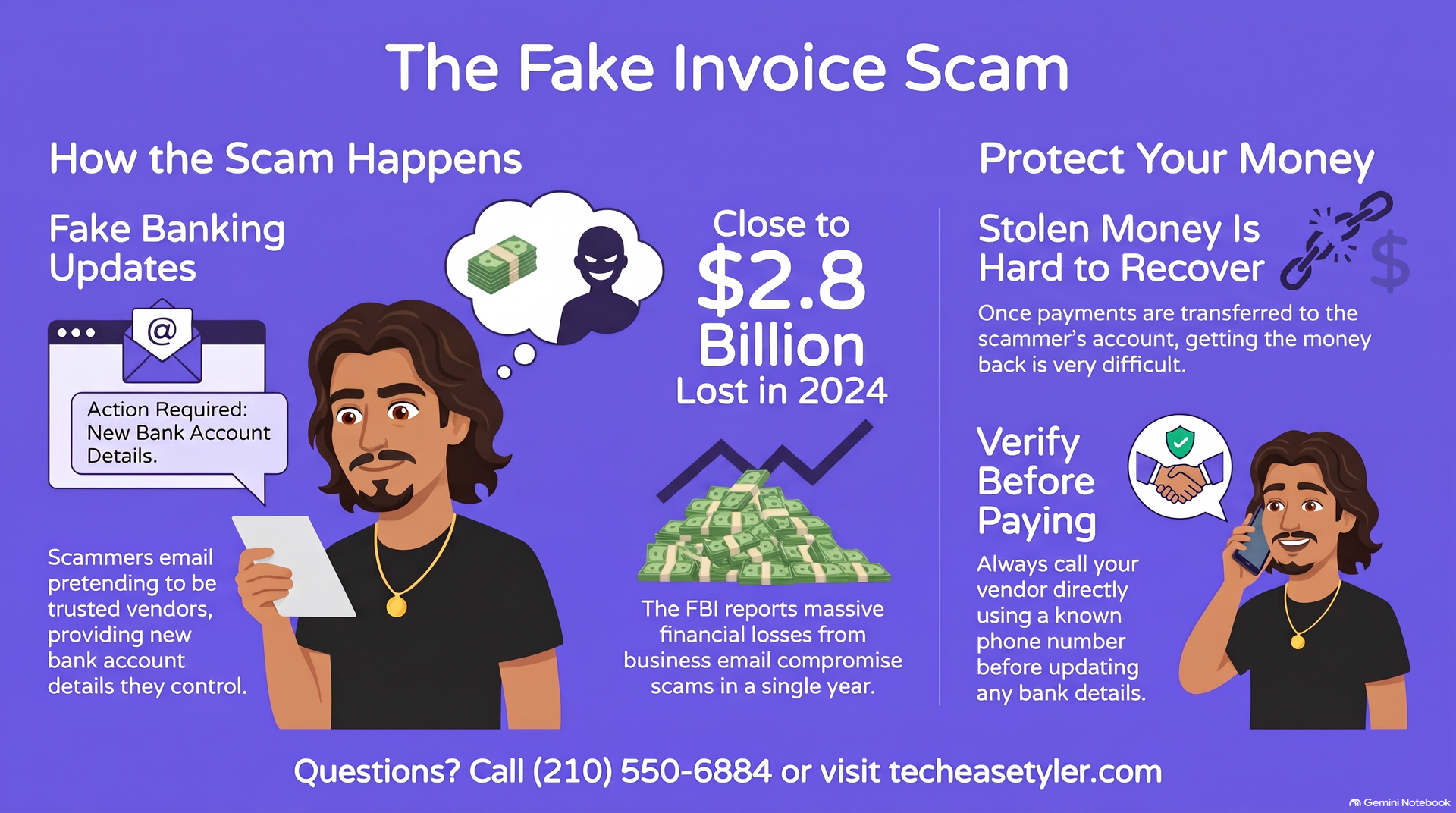
Scam alert for business owners: an email shows up from a vendor you know and trust. It says, “We changed banks. Please send this invoice to our new account.” The invoice looks real. The logo looks real. The only thing that is not real is the bank account.
It is a real bill with one thing changed: where the money goes. Once you send it, that money is usually gone before anyone notices.
This is called business email compromise, and it is one of the costliest scams the FBI tracks. Here is how it works, how to spot it, and the three things you can do today to stop it.
🔍 How the scam works
A scammer pretends to be someone you already pay, such as a vendor, your boss, or a client, and asks you to send a real payment to a new bank account. The FBI’s Internet Crime Complaint Center (IC3) defines business email compromise as a scam aimed at businesses that work with suppliers or regularly send wire transfers, carried out through hacked email accounts and other tricks to get money moved without the right person approving it.
In plain English, it works like this:
• The scammer gets into a real email account, or makes a fake address that looks almost identical to the real one.
• They watch for a real invoice, or send one that looks like the ones you normally get.
• They add a note that the bank details have changed.
• You pay. The money goes to the scammer, not your vendor.
The scammer does not need to break into your bank. They only need you to send the payment yourself.
🧠 Why does it work on smart people?
It works because almost everything in the email is true. The vendor is real, the work was real, and the invoice amount is probably right. Only the account number is false, so nothing feels off until it is too late.
Scammers also add pressure. They say the old account is closed, or the payment is already late, or you should keep it quiet until the new account is verified. A busy owner who just wants to pay a bill and move on is exactly who they are counting on. It is the same kind of pressure used in the fake deputy bitcoin scam hitting Smith County families, just aimed at a business instead of a family.
Falling for this does not mean you are careless. It means the scam was built to look like your normal day.
🚩 What are the red flags?
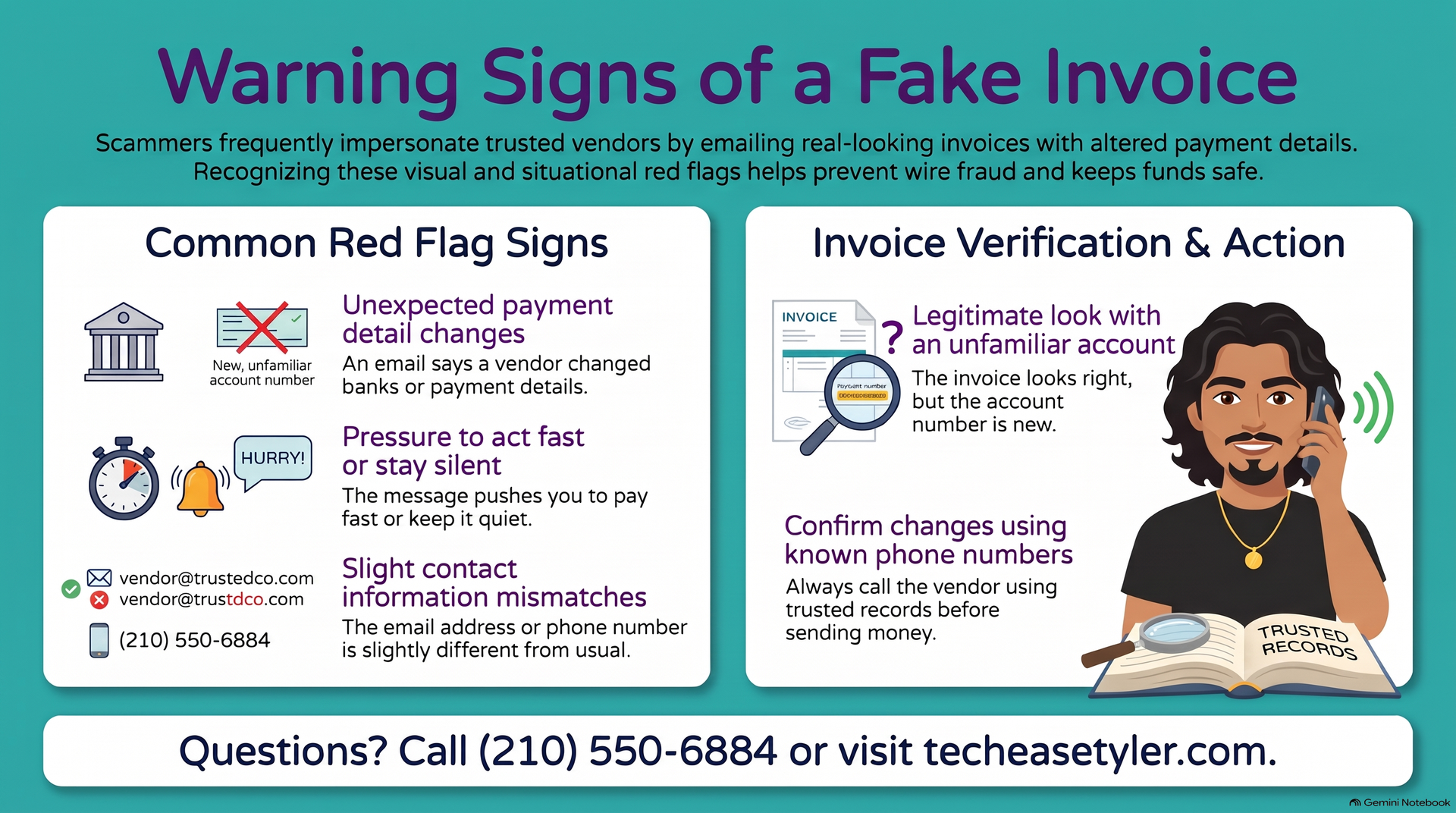
The biggest red flag is any email, text, or message that asks you to change where a payment goes. Look for these four signs:
A vendor you have paid for a long time suddenly sends new account and routing numbers in an email or a PDF. Real banking changes should never be settled by email alone.
“Pay today, the old account is closed,” or “Please do not discuss this change with anyone else.” Pressure and secrecy are how scammers keep you from checking.
The name looks right, but the address has a small change, like an extra letter, a different ending, or a reply-to that goes somewhere else. Tap the sender name and read the full address.
They ask you to pay outside your usual approval steps, or to use a wire transfer, cryptocurrency, or gift cards. The FTC’s small business guide says plainly: if someone demands a wire transfer, cryptocurrency, or gift cards, don’t pay.
📊 What actually happens: the numbers
This is not a rare scam. In 2024, the FBI’s IC3 received 21,442 business email compromise complaints, with reported losses of about $2.77 billion. That was out of about $16.6 billion in total cybercrime losses reported to IC3 that year.
Close to $2.8 billion lost in one year to this one kind of scam.
✅ What should I do instead?
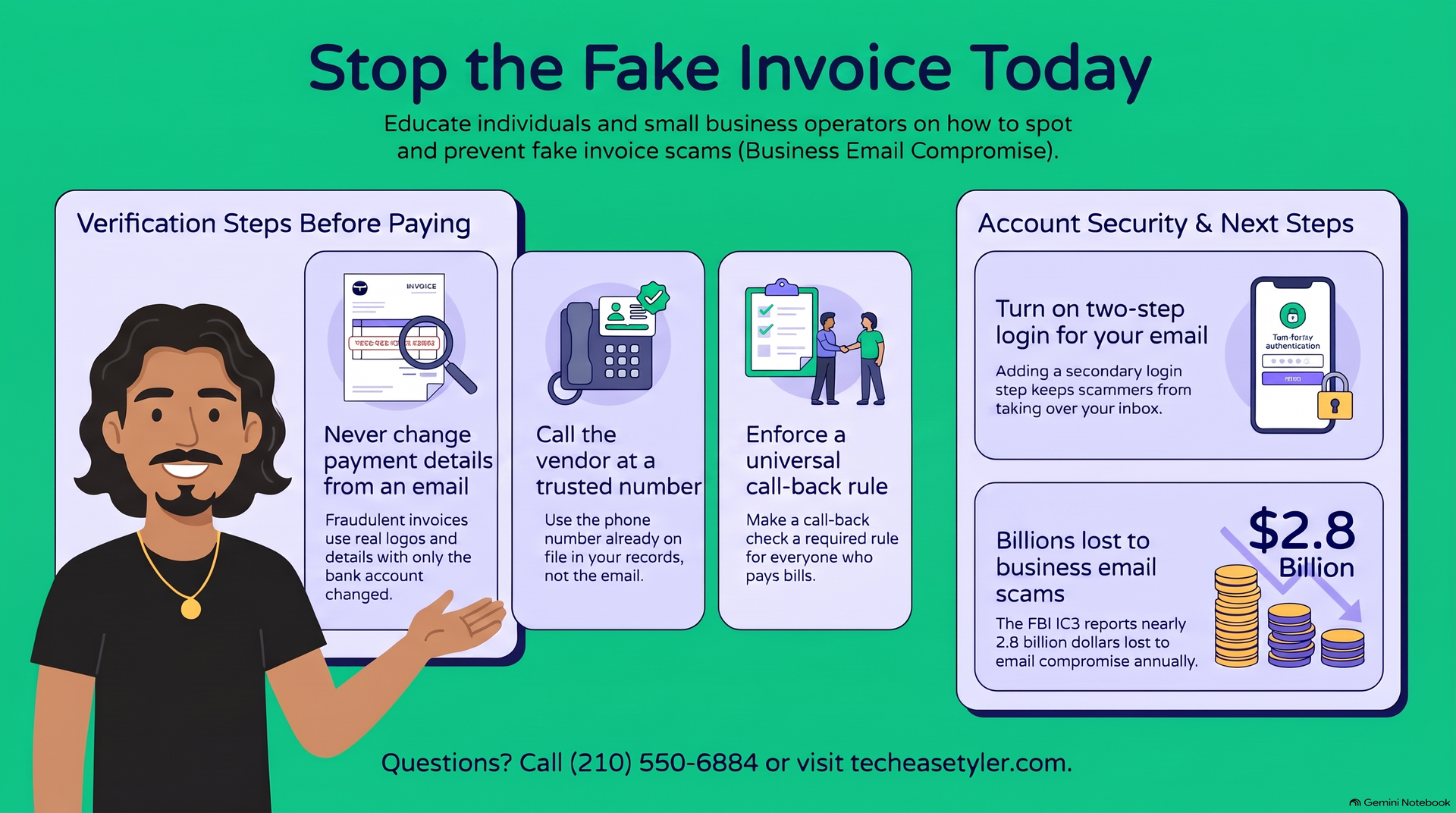
Never change where you send money based on an email alone. Here are three steps you can take today, and none of them cost anything:
No email, however real it looks, is a good enough reason to change where you send money. Make it a rule for everyone who pays bills for your business.
Use the number from your own records, an old invoice, or their website that you typed yourself. Never use a phone number from the email. A two-minute call can save the whole payment.
Two-step login (also called two-factor) asks for a code on your phone in addition to your password. CISA explains that even if someone steals your password, they cannot finish the second step. That helps keep scammers out of your inbox.
One more habit helps: if a real store employee spots something wrong, listen. That is exactly how a Dollar General manager helped stop a scam before the money left. A second set of eyes is worth it. Ask a coworker or your bookkeeper to look at any payment change before it goes out.
❓ Quick answers
What is business email compromise?
It is a scam where someone pretends to be a vendor, a boss, or a client by email and tricks you into sending a real payment to the wrong account. The FBI’s 2024 IC3 report tracks it as its own category of crime.
What if I already paid the new account?
Call your bank’s fraud line right away, using the number on the back of your card or on your bank statement. Then report it at ic3.gov and at reportfraud.ftc.gov. Speed matters, so do not wait until the end of the day.
Will two-step login stop this scam by itself?
No, but it helps. It protects your own email from being taken over, which is one way scammers get in. It does not stop a lookalike address, so the phone call to a number you already have on file is still the most important step.
Does this only happen to big companies?
No. Any business that pays invoices can be a target, including a one-person shop. The FTC has a whole scam guide written for small businesses because small businesses get hit too.
📋 Where to report it
God Bless.
Robert
Owner, TechEase
"No jargon, no judgment, just patient help that makes sense."
📞 (210) 550-6884 | Transparent Flat-Rate Pricing | We Come to You
Figures checked against the FBI IC3 2024 report on October 26, 2026.